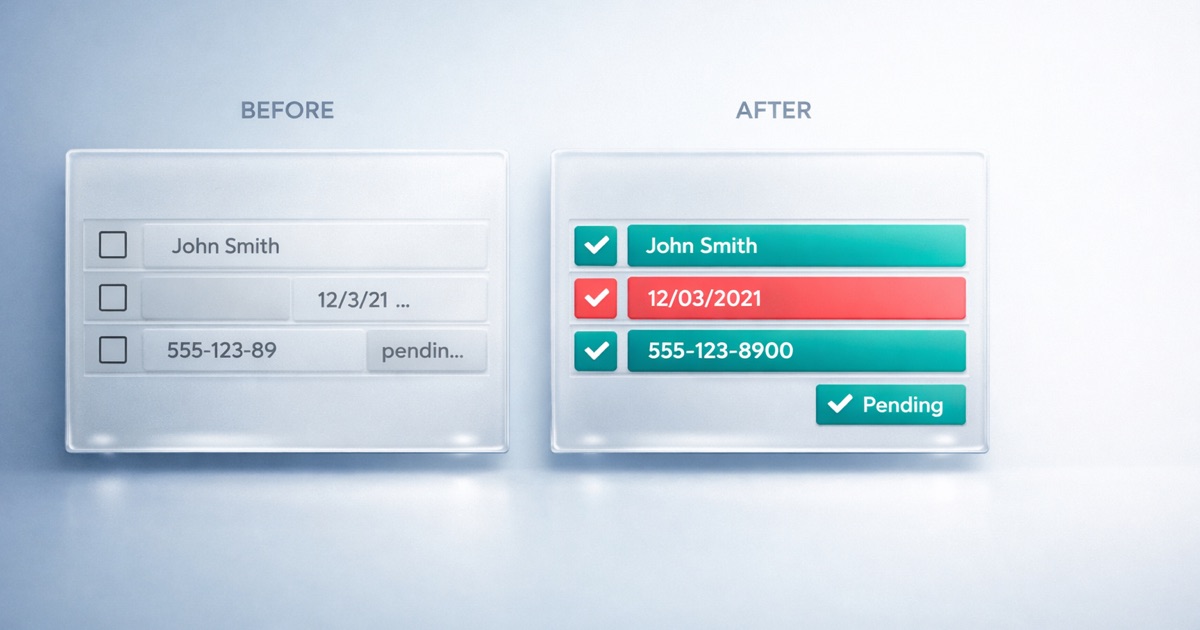
TL;DR: This page shows good vs bad data examples for each of the five dimensions of data quality, completeness, validity, uniqueness, timeliness, and consistency, plus AI readiness, using realistic Salesforce field values. Each bad example carries a business cost: missed calls, bounced campaigns, double-counted pipeline, or a wrong AI answer. Every example maps to a rate you can measure and track.
Why Data Quality Examples Beat Definitions
You already know what “complete” and “valid” mean. What is harder is spotting the moment your own data stops being either. Examples fix that. When you see a blank phone field next to a filled one, or “USA” sitting beside “United States”, you recognize your own org in the picture.
The odds say the picture applies to you. In Experian’s data quality benchmark research, US organizations estimated that 32% of their data is inaccurate in some way, and 91% of respondents said inaccurate data affects revenue through wasted resources, lost productivity, or wasted marketing spend. Every example below is one of the small failures those percentages are made of.
This page pairs a good example with a bad one for each dimension, using field values you would actually find on a Contact, Account, or Case. For the concepts behind each dimension, read The Five Dimensions of Data Quality. This article stays on the concrete: what good and bad data look like, and what the bad version costs you.
Completeness: Present vs Missing
Completeness measures whether a value is there at all. DQS counts NULL, blank, empty, and placeholder junk as missing. A field that reads “N/A” or “test” is not populated in any useful sense, even though it is technically not empty.
| Contact field | Good data | Bad data |
|---|---|---|
| Phone | +1 415 555 0100 | (blank) |
| [email protected] | N/A | |
| Title | VP Marketing | - |
| Description | Renewal owner, prefers email | test |
The bad column looks filled at a glance, but none of it works. A blank phone means the record cannot be called. A Title of “-” cannot segment a campaign or route a lead. Placeholder values are worse than blanks because they hide the gap: a report counts the field as populated, so the problem never surfaces until an automation fails.
Validity: Correct Format vs Malformed
Validity checks whether a populated value matches its expected format. Validity requires completeness, so DQS checks format only on values that are actually there. A blank email is a completeness problem, not a validity one.
| Field | Good data | Bad data |
|---|---|---|
| [email protected] | anna.kim@acme | |
| Phone | +1 415 555 0100 | call reception |
| Website | https://acme.com | acme |
An email with no domain fails at the mail server, so every campaign send to it bounces and drags down your sender reputation. “call reception” in a Phone field passes a not-blank test but breaks any dialer, SMS tool, or telephony integration that expects digits. Format errors are quiet: the record exists, the field is full, and nothing complains until the message fails to send.
Uniqueness: One Record vs Duplicates
Uniqueness measures whether each real-world entity appears once. The classic failure is the same person entered several times with slight variations, so no single record holds the full history.
| Contact | Same person? | |
|---|---|---|
| Anna Kim | [email protected] | Yes |
| Anna Kim | [email protected] | Yes |
| Anna M. Kim | [email protected] | Yes |
Three records, one person. DQS reports this as a distinct count and a duplicate count: three total records collapse to one distinct individual, so the duplicate count is two. Duplicates inflate reporting, so a pipeline of “3 contacts engaged” is really one. They also fragment history, so the note logged on record one is invisible when a colleague opens record two, and two reps email the same person the same week.
Timeliness: Current vs Stale
Timeliness, shown in DQS as Data Freshness, measures whether a record is recent enough to trust. You set a freshness threshold, and records older than it count as stale.
| Account | Last Modified | Against a 90-day threshold |
|---|---|---|
| Acme Corp | 30 days ago | Fresh |
| Globex Inc | 4 years ago | Stale |
The 4-year-old account is a forecasting risk. Its Annual Revenue, owner, and contact roles reflect a company that has since moved, restructured, or churned. A pipeline built on stale accounts forecasts a customer base that no longer exists. Freshness thresholds differ by data type: a cold lead loses value in weeks, while an annual revenue figure is fine for a year. The point is to measure age against a threshold you choose, not to treat all data as timeless.
Consistency: Standard vs Variant
Consistency measures whether the same meaning is stored the same way. Free-text and loose picklists let one value drift into many spellings.
| Country field | Records | Conforms to “United States”? |
|---|---|---|
| United States | Standard value | Yes |
| US | Variant | No |
| USA | Variant | No |
| U.S. | Variant | No |
DQS finds the dominant value, here “United States”, and reports a conformance rate: the share of records that match it. Four spellings of one country break every report that groups or filters by Country. A regional dashboard shows four segments where there should be one, and a filter for “United States” silently drops every record stored as “US” or “USA”. The data is present and readable to a human, but a machine treats each variant as a separate value.
AI Readiness: Grounded vs Risky Text
Beyond the five dimensions, DQS adds AI readiness checks for text you plan to feed a model like Agentforce. Free-text fields carry risks that never matter for a report but break AI grounding.
| Check | Good data | Bad data |
|---|---|---|
| PII safety | “Customer disputes the March invoice.” | “SSN 000-00-0000, card on file.” |
| Content density | “Customer reports the renewal quote is missing the agreed 12% discount and wants a corrected PDF before Friday.” | “call back” |
| Language quality | “Customer requests a refund for the duplicate charge.” | “Klient prosi o refund for the duplicate charge.” |
The PII example, using an obviously fake number, is a safety failure: sensitive values in a Case Description can surface in an AI response or a vector index. DQS detects SSN, credit card, email, and phone patterns in text fields and reports the count. A 3-word description like “call back” is too thin to ground an answer, so DQS measures content density by token count. Mixed Polish and English in one field confuses language models, so DQS flags mixed-language content that hurts model performance.
From Examples to Measurement
Every example above maps to a number you can put on a dashboard. That is what turns “our data feels messy” into a target you can move.
| Example | Measured as |
|---|---|
| Blank or “N/A” phone | Fill rate (completeness) |
| “anna.kim@acme” | Validity rate |
| Three records, one person | Uniqueness rate, distinct and duplicate count |
| Account untouched for 4 years | Freshness rate |
| “US” vs “United States” | Conformance rate |
| Fake SSN in a Case Description | PII count |
For how to turn these into an ongoing measurement practice, see How to Measure Data Quality. For the specific metrics worth tracking, the KPI catalog lives at Data Quality KPIs.
Finding These Examples in Your Own Org
DQS scans any SObject in your Salesforce org, so you can point it at Contact, Account, Case, or a custom object. You select the fields, set thresholds, and run a scan either manually or on a schedule. Batch scans process your records in chunks and report results by dimension and by field.
When a record fails a check, DQS flags the exact record, so you are not left guessing which rows are the problem. You can export the failing records to CSV for every dimension except Uniqueness. In exports, detected PII values are shown as [REDACTED] so you do not copy sensitive data out of the platform. To act on impacted records, you can create Tasks or post Chatter messages on them directly from the results view.
DQS detects and reports these examples. It does not auto-fix, cleanse, or merge records. Remediation stays with your team, guided by the exact records DQS surfaces.
See Where Your Data Stands
To find your own good and bad data examples, take the AI Readiness Assessment for a scored view of where your data stands. To discuss measuring quality across your objects, contact us.
Frequently Asked Questions
What are examples of data quality issues?
Common data quality issues include missing values like a blank Contact Phone or a placeholder such as “N/A”, invalid formats like “anna.kim@acme” with no domain, duplicate records for the same person, stale accounts untouched for years, and inconsistent values like “US”, “USA”, and “United States” in one Country field. Each issue maps to a measurable rate you can track over time.
What is an example of good data quality?
Good data quality looks like a Contact record with a populated Title, a phone in a single format such as “+1 415 555 0100”, and a valid email like “[email protected]”. There is one record per real person, the account was updated recently, and the Country field always reads “United States”. Good data is complete, correctly formatted, distinct, current, and consistent.
What are the five dimensions of data quality with examples?
The five dimensions are completeness (a filled vs blank Email), validity (a correct vs malformed email format), uniqueness (one record vs three duplicates for the same person), timeliness (an account updated last week vs four years ago), and consistency (Country stored as “United States” vs mixed “US” and “USA” variants). DQS measures all five inside Salesforce and adds AI readiness checks.
How do you identify data quality issues in Salesforce?
You identify data quality issues in Salesforce by scanning your objects against defined rules and reviewing the results by dimension and field. DQS runs batch scans on any SObject, reports fill rate, validity rate, uniqueness rate, freshness rate, and conformance rate, and flags the exact records that fail. You can export the failing records to CSV or create Tasks on them for follow-up.
Next Steps
- Understand the concepts: The Five Dimensions of Data Quality
- Track the metrics: Data Quality KPIs
- See it in your CRM: Data Quality in Salesforce
- Go deeper on one dimension: Completeness Scenarios